Guide
Dog Grooming Software For Multiple Groomers: How To Manage A Growing Team in 2026
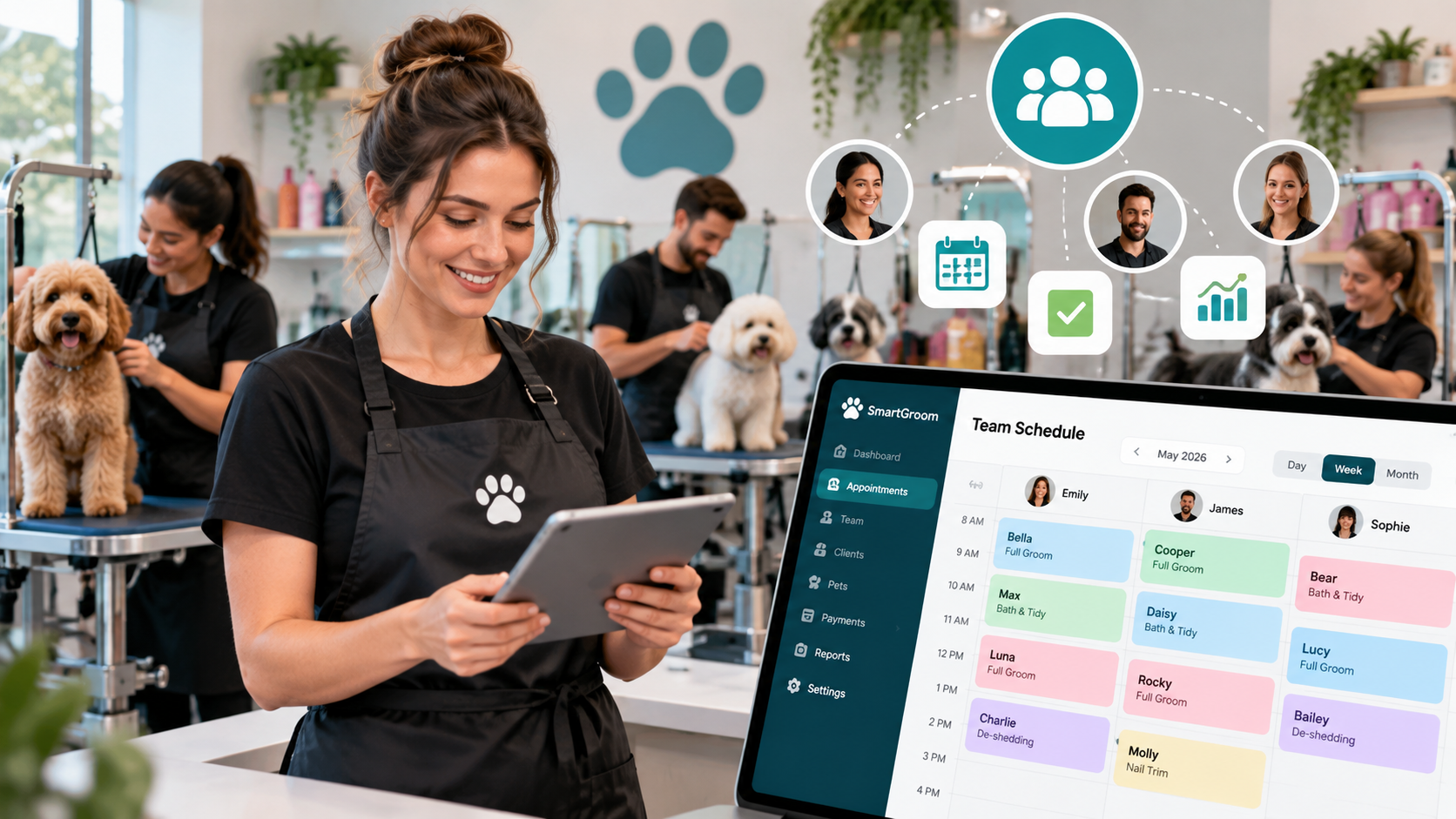
Growing from a solo groomer into a team-based grooming business is an exciting achievement.
It usually means:
- More customers
- Higher revenue potential
- A stronger local reputation
- More opportunities for growth
However, adding more groomers also introduces new challenges.
A business that once depended on one person's memory now needs systems that keep everyone organised.
When multiple people are involved, you need to manage:
- Different schedules
- Customer preferences
- Pet information
- Appointment assignments
- Team communication
- Service consistency
This is where dog grooming software for multiple groomers becomes essential.
The right platform helps grooming salons coordinate their team while maintaining the personal service customers expect.
Why Growing Grooming Teams Need Software
Many grooming businesses begin with simple systems.
The owner manages:
- All appointments
- All customer communication
- All pet information
This works when one person handles everything.
But as the team grows, information becomes harder to manage.
Questions appear:
Which groomer is assigned to this pet?
What service does the customer usually request?
What notes does the team need to know?
Who is available today?
Has this pet been groomed before?
Without a shared system, communication problems increase.
The Challenges Of Managing Multiple Groomers
1. Coordinating Different Schedules
Each groomer may have:
- Different working hours
- Different availability
- Different service speeds
- Different responsibilities
Managing this manually can become complicated.
A team scheduling system creates visibility.
Everyone can understand:
- Who is working
- What appointments are scheduled
- Where availability exists
- 2. Maintaining Consistent Customer Experience
Customers build relationships with grooming businesses.
They expect their pet to receive the same level of care regardless of who performs the service.
Important information should be available to the whole team:
- Grooming preferences
- Pet behaviour notes
- Previous styles
- Customer instructions
Shared records create consistency.
3. Sharing Pet Information Between Staff
Pets are not just appointments.
They have individual needs.
A grooming team should know:
Is the dog nervous?
What haircut does the owner prefer?
Are there specific instructions?
What happened during previous visits?
A central pet profile prevents important details from being lost.
4. Managing Customer Communication
As businesses grow, communication volume increases.
Customers may contact the business about:
- Booking appointments
- Changing times
- Asking questions
- Requesting updates
A central system helps keep communication organised.
5. Tracking Business Performance
Growing salons need visibility into operations.
Useful information includes:
- Appointment volume
- Customer activity
- Service history
Better information helps owners make better decisions.
Essential Features Of Multi-Groomer Software
A team-based grooming business needs more than a calendar.
The software should support the complete workflow.
1. Multi-Groomer Scheduling
The system should allow businesses to manage:
✓ Multiple calendars
✓ Staff availability
✓ Appointment assignments
✓ Daily workload
This creates better organisation.
2. Shared Customer Records
Every team member should be able to access important customer information.
Records should include:
- Customer details
- Appointment history
- Preferences
- Notes
- 3. Pet Profiles For Every Customer
A grooming-specific system should store:
- Pet information
- Breed
- Grooming history
- Behaviour notes
- Special instructions
- 4. Appointment Management
A professional system should help manage:
- New bookings
- Existing appointments
- Changes
- Cancellations
- 5. Automated Customer Communication
Automation becomes increasingly valuable as teams grow.
Useful features:
✓ Booking confirmations
✓ Appointment reminders
✓ Follow-ups
✓ Review requests
6. Online Booking
Customers should be able to request appointments easily.
Online booking reduces pressure on reception staff and improves convenience.
Multi-Groomer Salon Software vs Solo Groomer Software
The needs are different.
Solo Groomers Usually Need:
- Personal calendar
- Customer records
- Pet profiles
- Automated reminders
The focus is efficiency.
Growing Salons Need:
- Multiple schedules
- Team visibility
- Shared information
- Better coordination
The focus is collaboration.
Why Spreadsheets Stop Working For Growing Salons
Many businesses try using spreadsheets.
They can help temporarily.
However, spreadsheets are not designed for grooming operations.
Problems include:
- Information stored in multiple places
- Difficult updating
- Limited automation
- Poor communication between team members
A dedicated grooming system connects everything.
How Software Helps Salon Owners Lead Better
A salon owner should focus on:
- Growing the business
- Supporting the team
- Improving customer experience
Not spending hours managing spreadsheets and messages.
Software creates systems that allow owners to step away from daily administration.
SmartGroom: Grooming Software For Growing Teams
SmartGroom was created for independent groomers and small grooming businesses that need professional systems as they grow.
The platform helps manage:
✓ Online booking
✓ Customer profiles
✓ Pet records
✓ Grooming history
✓ Appointment scheduling
✓ Automated reminders
✓ Customer communication
✓ Stripe and Square payment workflows
✓ Review requests
SmartGroom helps businesses create organised workflows without unnecessary complexity.
When Should A Grooming Salon Add Team Software?
A salon may benefit from software when:
✓ More than one person handles appointments
✓ Customer information is difficult to track
✓ Staff need access to pet records
✓ Scheduling becomes complicated
✓ Administration takes too much time
✓ The owner wants to focus on growth
Common Mistakes Growing Grooming Businesses Make
1. Adding Staff Without Adding Systems
More people require better organisation.
2. Keeping Information In One Person's Head
Knowledge should belong to the business, not one individual.
3. Using Separate Tools For Everything
Multiple disconnected systems create confusion.
4. Choosing Software Designed For Large Corporations
Small grooming teams need practical tools.
How To Choose Software For A Grooming Team
Ask:
Can every team member access important information?
Shared knowledge improves consistency.
Does it manage multiple schedules?
Team coordination matters.
Does it save administrative time?
Software should improve efficiency.
Is it easy for staff to learn?
Adoption is important.
Can it grow with the business?
Your needs will change.
Building A Professional Multi-Groomer Workflow
A strong team workflow looks like:
- Customer books appointment
- ↓
- Customer and pet information is stored
- ↓
- Appointment is assigned
- ↓
- Groomer reviews pet history
- ↓
- Service is completed
- ↓
- Payment is processed
- ↓
- Follow-up encourages future booking
This creates consistency across the entire business.
Final Thoughts
Growing a grooming business from one person into a team requires more than hiring talented groomers.
It requires systems.
The right dog grooming software for multiple groomers helps salons:
- Coordinate teams
- Maintain service quality
- Organise customer information
- Reduce administration
- Create better customer experiences
Growth should make the business stronger, not more chaotic.
Create the systems your team needs to grow.